
Microsoft Teams direct routing in Australia
You can now use MS Teams as a phone system for your business. Receive and make calls not only within the MS Teams network, but also to any other phone numbers. Get access to a full range of advanced call routing and reporting features while benefiting from VoIPline's competitive call plans.
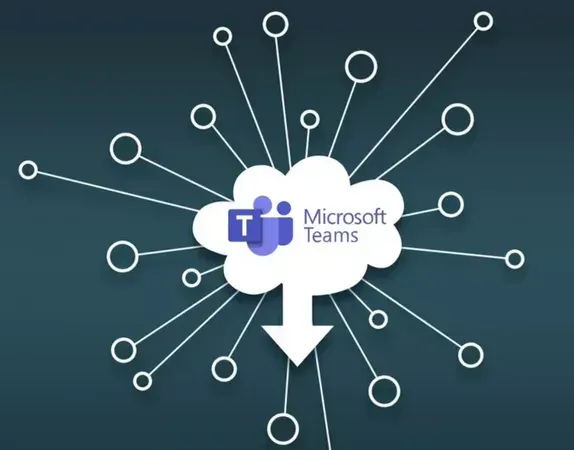
How it works






Benifits of using MS Team direct routing
for your business
Recieve and make calls to any phone numbers directly from MS Teams app.
Customize the call flow. Just the you need it with the dozens of hosted PBX feature.
Optimize call efficiency with advance reporting.
Reduce your telephony costs with flexible call plans and competitive call rates.
Frequently asked questions
What is direct routing?
Direct routing empowers customers to select their preferred telecom provider, such as VoIPline Telecom, to route phone calls in and out of the Microsoft Teams application. Essentially, it enables users to leverage Teams for both making and receiving calls externally.
Does Microsoft Teams direct routing support hosted PBX features?
Absolutely. When utilising Microsoft Teams direct routing with SmartBiz, all the hosted PBX features are available to use. These include call transfer, custom caller ID, fax to email, caller ID routing, voice menus, call recordings, user performance reports, queue wallboard, and many more.
What else is required to use Microsoft Teams direct routing?
To access PSTN services, you’ll need at least the Microsoft (MS) 365 Business Basic license and the MS Teams Phone Standard add-on. These licenses can be purchased separately within your MS tenancy or through your MS licensing provider.
Additionally, each MS Teams user will require a phone number and either a PBX user or SIP trunk channel license. These are purchased separately from the MS Teams device license.
Can I use desk phones with Microsoft Teams?
Absolutely! We provide a selection of MS Teams certified desk phones from Yealink. Teams desk phones utilise proprietary Microsoft voice encoding, other VoIP phones will not work with MS Teams.
Genuine review from our customers
We are member
with


DOWNLOAD WEBPHONE



Products
Solutions
Feature Highlights
Phone Numbers
Pricing
Company
Contact us
Phone: (02) 7250 5577
Email: [email protected]
Address: Suite 4, 22 Belgrave St, Kogarah New South Wales 2217
Follow us


© Smart Bizphone. 2026. All Rights Reserved.
Smart Bizphone - A division of Digipearl Pty Ltd | ABN: 62615114406