
Call parking
wallboard
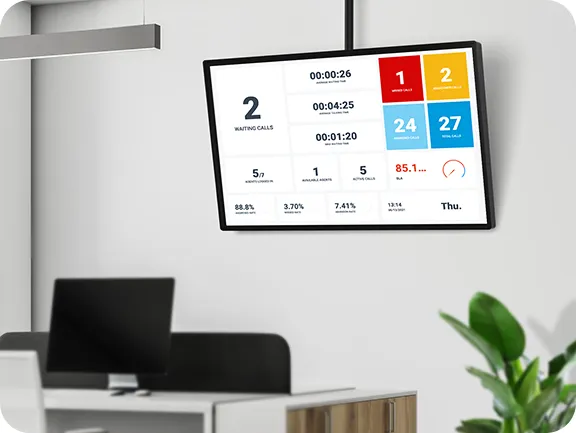
Keep track of parked calls in real-time on a TV or monitor screen, or through the Webphone.
Monitoring on large and small scale
Call parking wallboard can be opened in any browser as a separate page and displayed on a large TV in the office, so that it can be seen by many people, or privately on a monitor at your desk.
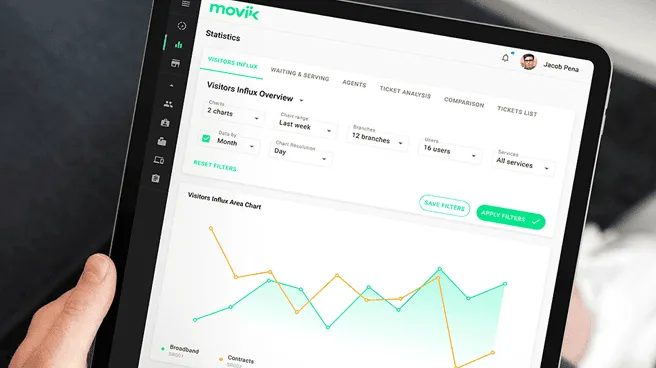

Tight integration with the Webphone
In the Webphone, you can immediately pick up a parked call or transfer it to another agent. If the parked call is a contact, their name and avatar will be displayed. In addition, if the call is not a contact but was found in one of the connected CRM systems, the name of the caller will be displayed.
Easy management
of parked call
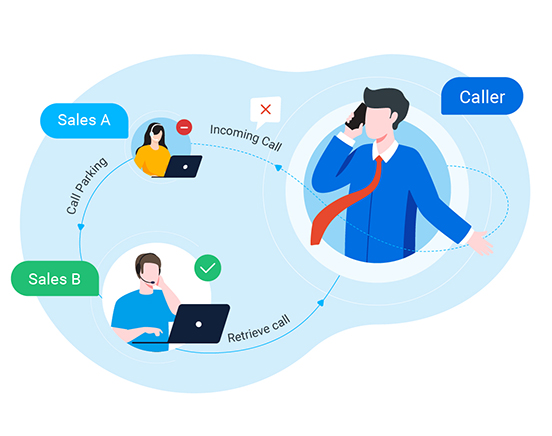
Each call parking has its own name—so it's easier to find out why a call ended up being parked. See which agent parked the call, how many parking slots are in use, which of the other agents are currently on the call (if you need to make a transfer), and the time remaining for each parked call.
Configure call parking for SIP device
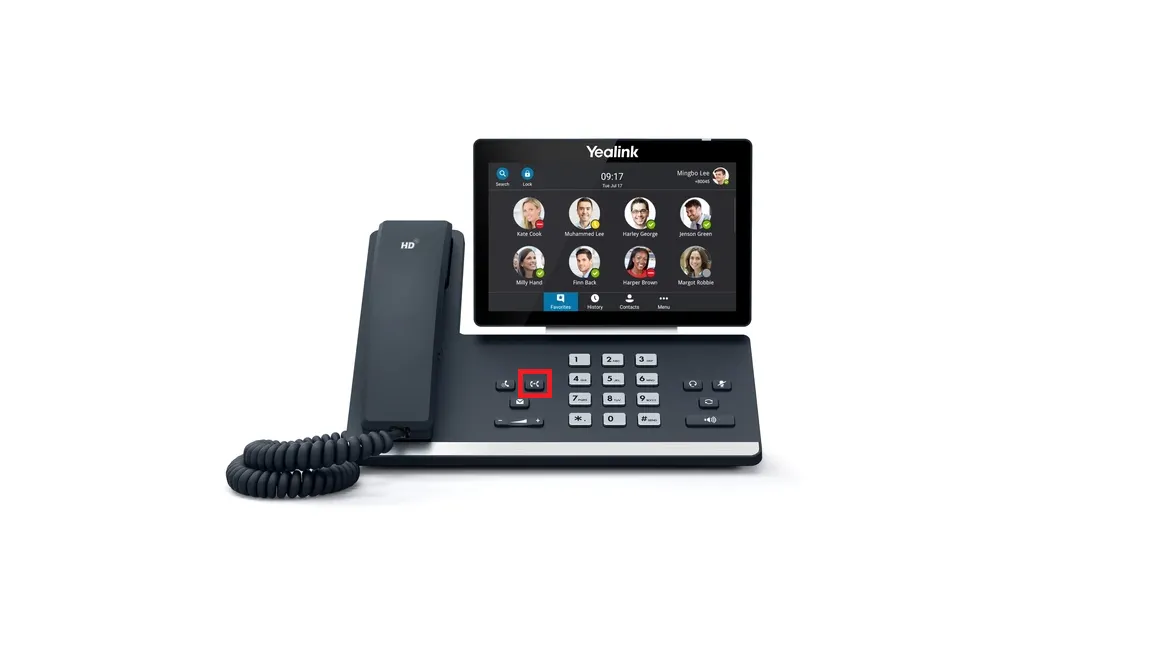
Yealink and other SIP devices have Busy Lamp Field (BLF) keys, which can be configured for call parking. For example, if a parking slot is free, the button lights up green; if it's busy, it lights up red. You can pick up a call from the parking lot with a single key press.
Frequently asked questions
What is call parking and a call parking wallboard?
Call parking allows you to place a call on hold in a shared 'parking slot' so that any other user can retrieve it from a different device or location. A call parking wallboard provides a live overview of all parked calls, displaying key details like which agent parked the call, who is on the line, how long the call has been parked, and the number of available parking slots.
What are the benefits of call parking and the call parking wallboard features?
Call parking makes it easy to transfer and hold calls between users without keeping them on the line. The call parking wallboard enhances efficiency by providing real-time visibility into parked calls, ensuring no calls are missed or forgotten.
Can I try VoIPline’s call parking wallboard before committing?
Yes! We offer a free 30-day trial for businesses interested in testing our call parking wallboard and other services.
How can I get support if I have questions about call parking features?
Our support team is here to assist! We're happy to help with any technical issues or questions you may have.
Genuine review from our customers
We are member
with


DOWNLOAD WEBPHONE



Products
Solutions
Feature Highlights
Phone Numbers
Pricing
Company
Contact us
Phone: (02) 7250 5577
Email: [email protected]
Address: Suite 4, 22 Belgrave St, Kogarah New South Wales 2217
Follow us


© Smart Bizphone. 2026. All Rights Reserved.
Smart Bizphone - A division of Digipearl Pty Ltd | ABN: 62615114406